
TikTok Character Counter
Live counts for your TikTok caption, bio and display name, measured the way TikTok enforces them, with the real 2026 limits for every field.

How to use the TikTok Character Counter
Pick the field you are writing
The counter shows a box for each TikTok field with its own limit: caption (2,200, the cap every scheduler and API publish enforces), bio (160) and display name (30). Type where you plan to post.
Type or paste your text
The count updates on every keystroke. Caption and bio are measured in UTF-16 units, the same way TikTok’s API measures them, so emoji that cost 2 characters here cost 2 characters on TikTok too.
Watch the meter and the tiles
Each field’s meter turns amber past 90% of the limit and red when you are over. The tiles below track characters, words and hashtags for your caption as you edit.
Trim and post
Cut until every field sits under its limit, then paste into TikTok. Everything runs in your browser: no signup, and your text is never sent anywhere.
TikTok caption limit: 2,200 or 4,000? Both are right
Search for the TikTok caption limit and you will find pages insisting on 2,200 characters and pages insisting on 4,000. Both are correct, for different ways of posting. Typing a caption directly in the TikTok app allows 4,000 characters, a limit TikTok raised from 2,200 in 2023. Publishing through the Content Posting API (the route every scheduling tool uses) still caps captions at 2,200 characters, measured in UTF-16 units.
JuzPost publishes to TikTok’s API every day, which is why this counter holds the caption field at 2,200: it is the only number that is safe in both worlds. If you schedule your posts, or ever might, write to 2,200. If you only ever post from your phone, you have up to 4,000, but a caption that fits 2,200 will never be rejected anywhere.
This split is also why different counter sites disagree with what you see in-app. They are not wrong so much as unlabeled: each one picked a side of the in-app versus API divide without saying so. As of 2026, the honest answer is both numbers, clearly labeled.
The bio limit changed: 80 became 160 in August 2025
TikTok doubled the bio limit from 80 to 160 characters around August 2025. Most pages ranking for this question still say 80, and a few hedge with "80-160" without explaining who gets which. The real story is an uneven rollout: newer app versions and most accounts now get 160, while some accounts and regions still see the old 80-character cap, and a few users have even reported being rolled back to 80 after having the longer bio.
The practical rule: if your bio only has to work on your own profile, fill all 160 characters. If it has to render for everyone (a brand bio you manage across accounts, or copy someone else will paste), put the essentials in the first 80 characters so nothing important disappears on an account still capped at 80.
How TikTok counts characters: emoji, hashtags and mentions
TikTok’s API measures caption length in UTF-16 code units, not in the characters you see. Most letters, digits and punctuation cost 1 unit, but most emoji cost 2 or more because they are stored as surrogate pairs. That is why a caption that looks like 2,190 characters can be rejected as over 2,200: a dozen emoji quietly doubled their own cost. This counter measures caption and bio the same way, so the number you see here is the number TikTok enforces.
Hashtags are not free either. There is no per-post cap on how many hashtags you can add, but every character of every hashtag counts toward the caption limit, and a single tag can run to roughly 100 characters. The same goes for @mentions: they are ordinary caption text as far as the limit is concerned. The hashtag tile under the counter tracks how many you have used as you type.
If your app shows a much lower caption cap (users regularly report 150 or 300 characters when every guide promises thousands), you are on an old app version or an account the rollout has not reached. TikTok raises limits gradually per app version, account and region, which is why the cap can even fluctuate between sessions. Updating the app is the first fix; after that it is a matter of the rollout reaching you.
What shows before "…more", and every other TikTok limit
Viewers only see the start of your caption in the feed: roughly the first 55 to 100 characters, about one to two lines, before TikTok folds the rest behind "…more". There is no official cutoff and it varies by device and font size, so treat the first 80 characters as your hook. Front-load the words that make someone tap, because everything after the fold is only read by people you have already convinced.
The remaining limits, as verified in August 2026: usernames allow 24 characters and only letters, numbers, underscores and periods, and can be changed once every 30 days. Display names allow 30 characters and, unlike usernames, accept spaces and emoji. Comments are capped at 150 characters, unchanged for years despite scattered reports of a 200-character cap that remain unconfirmed. LIVE titles get 32 characters, and direct messages are reported at around 1,000.
Limits on this page were last verified against current sources on 7 August 2026. TikTok rolls out changes unevenly and rarely announces them, so where a number is in transition (the 2,200 versus 4,000 caption split, the 80 versus 160 bio) this page states both sides and the safe one to plan around, rather than pretending there is a single answer.
Frequently asked questions
What is the TikTok caption character limit in 2026?
4,000 characters when you type in the TikTok app, but 2,200 characters when you publish through the API, which is how every scheduling tool posts, including JuzPost. TikTok raised the in-app limit from 2,200 to 4,000 in 2023; the API cap never moved. If your caption might ever be scheduled, write to 2,200.
Is the TikTok bio limit 80 or 160 characters?
160 characters is the current limit: TikTok doubled it from 80 around August 2025. The rollout is uneven, though: some accounts and regions still see the old 80-character cap. If your bio has to render correctly for everyone, keep the essential part inside the first 80 characters.
Why is my TikTok caption limit only 150 characters?
You are almost certainly on an old app version or an account the longer-caption rollout has not reached. TikTok raises limits gradually per app version, account and region, which is why some users see caps that fluctuate between 150 and 300 while others have 4,000. Update the app first; if the cap stays short, it typically resolves when the rollout reaches your account.
Do hashtags and emojis count toward TikTok’s caption limit?
Yes, both do. Every character of every hashtag counts toward the caption limit (a single tag can run to about 100 characters), and so do @mentions. Emoji can cost more than one character because TikTok’s API measures UTF-16 units, where most emoji take 2 or more. This counter measures the same way, so its number matches what TikTok enforces.
What is the TikTok comment character limit?
150 characters, and it has stayed there for years. Some users report longer comments or a cap near 200, but that is unconfirmed and looks like a limited test at most. If a thought will not fit, split it across replies, or move it into a caption, where you get 2,200 to 4,000 characters.
How many caption characters show before "…more" on TikTok?
Roughly the first 55 to 100 characters (about one to two lines) before TikTok hides the rest behind "…more". There is no official number, and the exact cutoff varies by device and font size. Treat the first 80 characters as your hook and front-load the words that earn the tap.
More free tools
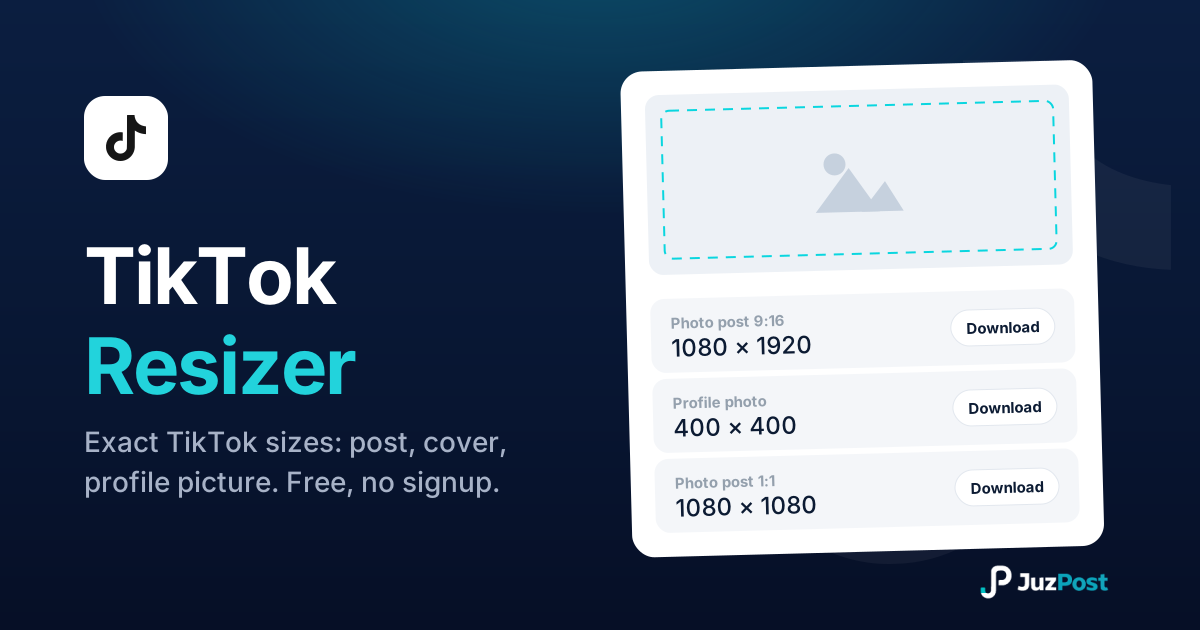
Resize any photo to TikTok’s real 2026 sizes: 200×200 profile circle, 1080×1920 posts and covers. Free, right in your browser.
Type once, search 34 Unicode font styles and copy one for your TikTok nickname (30 characters), bio (80) and captions. Free, no signup.

Paste your caption, copy back spacing TikTok can’t strip: invisible characters that survive the 4,000-character caption field, 150-character comments and your 80-character bio.