
Bluesky Media Checker
Drop in a photo or video and find out whether it will post to Bluesky, before you waste another failed attempt. Nothing is uploaded.

How to use the Bluesky Media Checker
Drop in your photo or video
Drag the file onto the card or click to pick one. It is read in your browser and never sent to a server, so even a 300 MB video is checked instantly.
Read the verdict
A green result means the file passes every Bluesky limit this tool checks and can go up as it is. A red result names the one thing that will stop it.
See which limit it broke
The failure line prints the limit and your file’s actual value side by side, such as 4.1 MB against the 2 MB image ceiling or 720 seconds against 600.
Fix an image here, re-export a video
For images you can convert to JPEG, compress under 2 MB or resize on the page, then download the result. Video is reported only, never converted here.
The Bluesky limits this checker tests
Every image is checked against a 2,000,000 byte ceiling, roughly 2 MB, and the accepted formats jpg, jpeg, png, webp and gif. A single post carries between one and four images, and Bluesky does not let you mix images and a video in the same post, so a set of five files or a photo plus a clip fails before it ever reaches the network.
Video is checked against a 300,000,000 byte ceiling, roughly 300 MB, a duration ceiling of 600 seconds, and the accepted containers mp4, mov, webm and mpeg. Duration is the limit people trip over most often, because a clip that is well inside the size ceiling can still run past ten minutes and be refused with no useful explanation.
These are the exact numbers JuzPost checks before it publishes to Bluesky, not figures copied from a spec article. Most of the pages ranking for Bluesky media limits still print a 1 MB image ceiling and a 100 MB video ceiling, both of which have been raised, which is why guides contradict each other and why testing the actual file beats reading another table.
Why your video will not upload to Bluesky
Five things account for almost every rejected video: the clip runs longer than 600 seconds, the file is over 300 MB, the container is not one of mp4, mov, webm or mpeg, the codec inside is HEVC rather than H.264, or the file is not the type its name claims. This tool reads the real bytes rather than trusting the extension, so a video saved as .mp4 that is really QuickTime is caught here.
iPhone footage is the classic case. The camera records HEVC, also called H.265, and Bluesky plays H.264 only. The extension looks acceptable and the upload still fails, with an error that never says the word codec. This page reads the codec out of the file itself and names it, so you know a re-export is the answer before you spend another attempt finding out.
Bluesky itself is not much help here. Its error messages name a format problem when the real fault is size, and when a post carries several images it fails the whole post without naming which file was the problem. Checking each file first turns a guessing game into one clear line about one specific limit.
What this tool fixes and what it only reports
Images can be repaired on the page. Convert a webp or png to JPEG, compress it under the 2 MB ceiling, or resize it, then download the corrected file and post it. If size is the only fault, the Bluesky image compressor on this site is the more direct route, and this page links you there.
Video is checked and reported, never converted and never uploaded. Re-encoding a 300 MB video in a browser tab would be slow and lossy, so instead the tool prints the format, size and duration you have against the format, size and duration Bluesky takes, and you re-export from whatever editor produced the clip. That keeps the check honest and keeps the page fast.
Nothing you drop here leaves your browser. There is no upload step, no account and no server copy of your file, which is also why the verdict appears at once on a large video instead of after a long progress bar.
Frequently asked questions
What is the maximum image size on Bluesky?
2,000,000 bytes, which is roughly 2 MB per image. That is the ceiling this checker tests against, and it applies to each image separately rather than to the post as a whole. Accepted image formats are jpg, jpeg, png, webp and gif.
How long can a Bluesky video be?
Up to 600 seconds, which is ten minutes. Bluesky raised this from three minutes in August 2026. This tool reads the duration out of the file and compares it to that ceiling, so you know before posting whether a clip needs trimming. Duration is checked separately from file size, and a clip can fail on length while sitting comfortably under the size limit.
What is the Bluesky video file size limit?
300,000,000 bytes, or roughly 300 MB per video. Many guides still print 50 MB or 100 MB, which is why people compress far harder than they need to. The checker reports your file’s real size against the 300 MB ceiling.
What video formats does Bluesky support?
mp4, mov, webm and mpeg. mp4 is the safest of the four because it is the format Bluesky handles end to end, so if a mov or webm file is refused, re-exporting to mp4 is the first thing to try. This tool reads the real container from the file’s own bytes rather than from the extension on its name.
Why won’t my video upload to Bluesky?
Usually one of four reasons: the clip is longer than 600 seconds, the file is over 300 MB, the container is not mp4, mov, webm or mpeg, or the file is not really the type its filename claims. Drop it here and the verdict names which one applies, with your file’s value printed next to the limit it broke.
How many photos can you add to a Bluesky post?
Four. A post carries between one and four images, and each one has to sit under the 2 MB ceiling on its own. One oversized file in a set of four is enough to fail the whole post, so check each image before you attach them.
Can you post a video and photos in the same Bluesky post?
No. A Bluesky post carries either one video or up to four images, never both. If you want the clip and the stills together, post the video first and put the images in a reply underneath it.
Does this checker upload my file anywhere?
No. The file is read in your browser and never sent to a server, so there is no upload, no account and no copy kept anywhere. That is also why the result is immediate even on a large video: there is no network round trip at all.
More free tools

Live check against Bluesky’s 300-character post limit, plus display name (64) and bio (256) counters and the real link, emoji and byte rules.
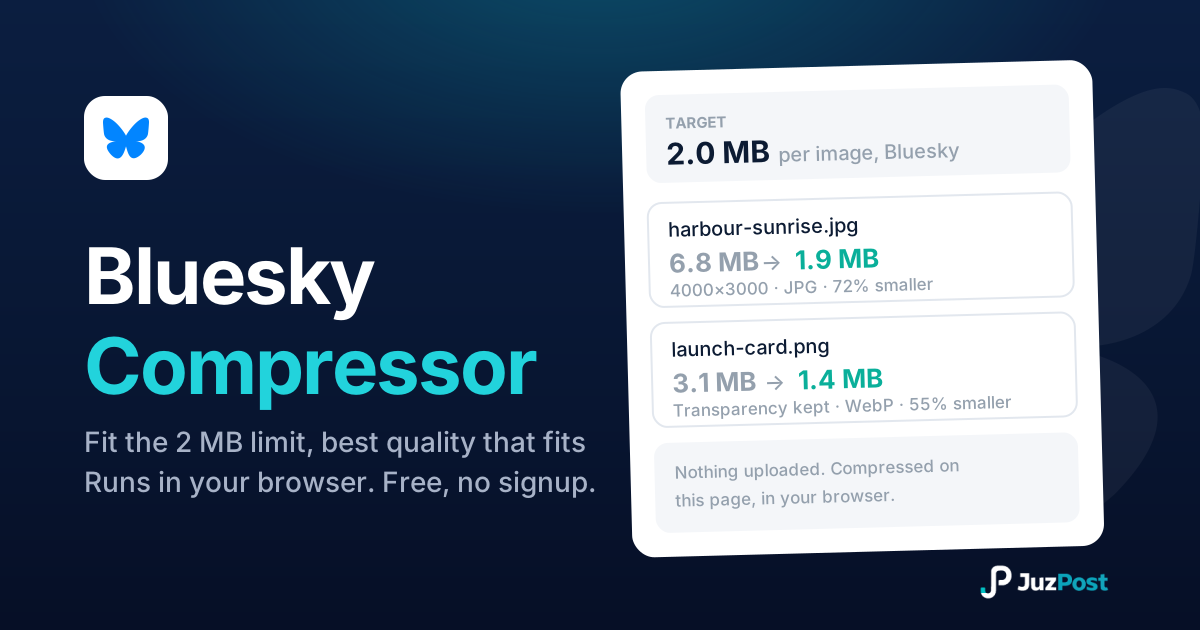
Shrink any photo under Bluesky’s 2 MB per image limit without picking a quality number yourself.

Drop in a photo, GIF or video and see whether it clears Tumblr’s limits: real file type, size, dimensions and length, checked in your browser.