
LinkedIn Media Checker
Drop in a photo or video and see whether it will publish to LinkedIn. Real file type, format, size, dimensions, ratio and duration, checked in your browser.

How to use the LinkedIn Media Checker
Drop in your photo or video
Drag the file onto the card or pick it from your device. It is read in your browser, including the header bytes that name the real file type, and it is never uploaded to a server.
Read the result row by row
Every rule shows a pass, a warning or a fail next to the number it was checked against: format, file size, dimensions, aspect ratio and, for video, duration.
Fix an image on the spot
For photos you can convert to JPEG, compress under the 8 MB image limit or resize, all in the browser, then download the fixed file.
Re-export video from your editor
Video is checked and reported, never converted and never uploaded. If a rule fails, the row names it so you know exactly what to change on the next export.
What this checker tests your file against
Photos are checked against the formats LinkedIn accepts on the publishing path, which are JPG, JPEG, PNG and GIF, and against an 8 MB file size limit. The checker also reports pixel dimensions and aspect ratio so you can see the shape of the file before it goes anywhere near a post.
Video is checked as MP4 only, up to 5 GB, between 3 seconds and 30 minutes long, with an aspect ratio between 1:2.4 and 2.4:1. Those four numbers are the gates a scheduled LinkedIn post actually has to clear, so a clip outside any of them is worth catching now rather than after a failed publish.
Multi-image posts take 2 to 20 images. You cannot mix video into an image post, and LinkedIn does not require every image in the set to share one aspect ratio, so slides of different shapes are allowed even though they will not line up neatly in the viewer.
Why LinkedIn Help and this page print different numbers
LinkedIn publishes more than one set of media specs, and they disagree. This page uses 5 GB for video, the figure in LinkedIn Pages help and in the Videos API schema, rather than the 500 MB the prose on that same API page states. A scheduler will apply its own upload ceiling below that, so a file can clear LinkedIn and still be too large for the tool carrying it.
Duration is the same story. This page uses 30 minutes as the ceiling, and LinkedIn Pages help states 10 minutes for organic video while various guides report 15 minutes from desktop. Treat anything past 10 minutes as risky even when the checker passes it, because the surface that plays your post may apply the shorter rule.
Format is where most uploads die. LinkedIn Help lists WebM, MKV, WMV, FLV and ASF alongside MP4, but the Videos API path takes MP4 alone, so those containers are refused here. Images are the looser half: JPG, PNG, GIF and WEBP all pass. HEIC is listed by LinkedIn and still refused here, because no browser can read it.
The upload failures this catches
The most common complaint is a file named .mp4 that LinkedIn still refuses. The extension is only a label, so this checker reads the magic bytes at the head of the file and reports what the container really is. A renamed MOV or a photo exported as HEIC and saved with a .jpg name both show up immediately.
iPhone photos are the other frequent offender. HEIC files and WebP exports are listed as supported on LinkedIn Help but will not go through a scheduled post, so the fix is to convert to JPEG, which this page does in the browser without sending the photo anywhere.
When a LinkedIn upload sits on processing and then quietly does nothing, the API error behind it does not say which rule broke. Checking the file first turns that silence into a named cause: wrong container, wrong codec, under 3 seconds, past 30 minutes or outside the 1:2.4 to 2.4:1 ratio band.
Nothing leaves your browser
Every check runs on your own device. The file is decoded locally, the rules are applied locally, and the image fixes are written locally, so there is no upload step, no account and no copy of your file sitting on someone else’s server.
That matters most for the work people are least willing to hand over: unreleased product footage, client cuts, recruiting material and anything under embargo. Converter sites and cloud editors need your file to do their job. This page does not, which is also why the result appears instantly.
Frequently asked questions
What video format does LinkedIn accept?
MP4. That is the container the LinkedIn publishing path accepts, so an MP4 with H.264 video is the only export this page passes. LinkedIn Help lists other containers such as WebM, MKV, WMV and FLV for direct upload in the app, and it states that AVI, QuickTime and MOV are no longer supported. If you schedule posts rather than upload by hand, export MP4 and nothing else. This checker reads the real container from the file header, so a MOV renamed to .mp4 is caught.
What is the maximum video file size for LinkedIn, 500 MB or 5 GB?
5 GB. LinkedIn Pages help and the Videos API schema field both state it, while the prose on that same API page still says 500 MB, so LinkedIn contradicts itself in public. This checker uses the higher figure because that is what the API accepts. Whatever tool carries the post will apply its own upload ceiling below that, so check there too before planning around a very large export.
How long can a LinkedIn video be?
Between 3 seconds and 30 minutes on the limits this page checks against. LinkedIn Pages help states a 10 minute maximum for organic video and third party guides report 15 minutes from desktop, so 30 minutes is the outer ceiling rather than a promise. A clip under 3 seconds is rejected outright. If yours runs past 10 minutes, treat that as a warning worth testing before you build a schedule around it.
Why does my LinkedIn video fail to upload or stay stuck on processing?
Almost always because of the container, the file size, the duration or the aspect ratio, and LinkedIn will not tell you which. Its processing failure covers unsupported format, oversized file and internal errors under one label with no detail. Check the file against the rules first: MP4 with H.264 inside, 3 seconds to 30 minutes, and a ratio between 1:2.4 and 2.4:1. The row that fails is your cause.
What image formats does LinkedIn support, and can I post HEIC or WebP?
JPG, JPEG, PNG and GIF go through the publishing path. HEIC and WebP are listed on LinkedIn Help but will not publish through a scheduled post, so convert them to JPEG first. That is the single most useful fix on this page for anyone posting straight from an iPhone, since iOS saves photos as HEIC by default, and the conversion happens in your browser.
What is LinkedIn’s image file size limit?
8 MB per image on the limits checked here. LinkedIn Help quotes a blanket 100 MB cap across media and various guides print 5 MB or 10 MB, which is why the published numbers never agree. Staying at or under 8 MB clears every version of the rule. If your photo is over, the compress fix on this page brings it down without leaving the browser.
What video aspect ratios does LinkedIn allow, and will mine get cropped on mobile?
Anything between 1:2.4 and 2.4:1 passes, which covers square, portrait and standard widescreen. Passing that gate means it will publish, not that it will look right: a wide 16:9 video is legal but shows up small in a mobile feed built for tall video. The checker reports both, so you can see that a file clears the rule and still decide to re-export it taller.
Is my file uploaded anywhere when I use this checker?
No. The file is read and checked entirely in your browser, and the image fixes are written there too. There is no server, no account and no stored copy, which is why the result is instant even on a large video. Video in particular is only inspected and reported, never converted and never sent anywhere.
More free tools
Bold, italic and underline text that pastes straight into LinkedIn posts.
Live counts for the 3,000-character post, 220-character headline and 2,600-character About section, measured in the same UTF-16 units LinkedIn enforces.
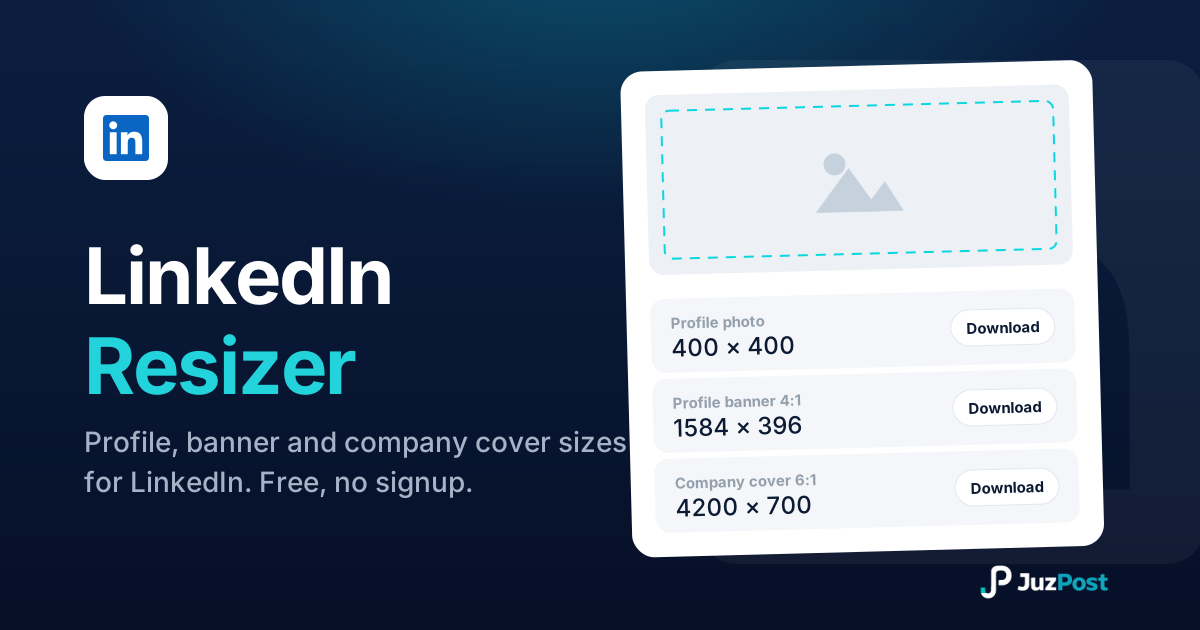
Resize any photo to LinkedIn’s exact specs (profile 400×400, banner 1584×396, company cover 4200×700) with a live preview, right in your browser.