
TikTok Video Size in 2026: Dimensions, File Size and Length Limits

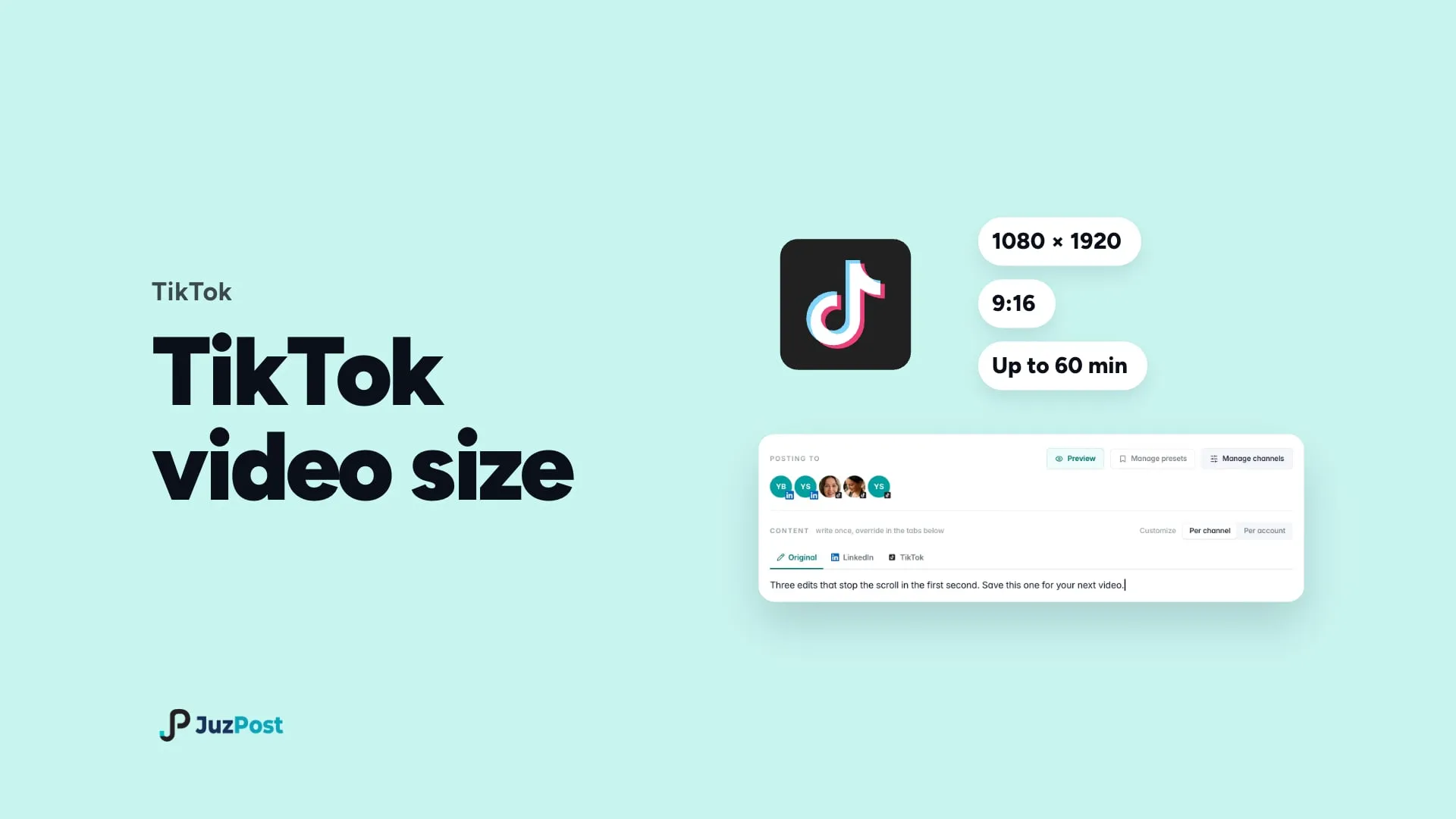
A TikTok video should be 1080 x 1920 pixels at 9:16, exported as MP4 with H.264 at 23 to 60 fps. File size and length caps depend on how the video reaches TikTok: the phone app, the web uploader, or a scheduling tool using TikTok’s Content Posting API.
| Spec | TikTok app and web | Content Posting API (scheduling tools) |
|---|---|---|
| Resolution | 1080 x 1920 recommended | Each side 360 to 4,096 px |
| Aspect ratio | 9:16 fills the screen | Any. Other shapes get bars, no refusal |
| Max file size | About 72 MB Android, 288 MB iOS (third-party figures) | 4 GB |
| Max length | 10 min recorded, 60 min uploaded | 3 min for every creator, 5 or 10 min for some |
| Min length | 3 seconds | 3 seconds |
| Video formats | MP4, MOV | MP4, MOV, WebM. H.264, H.265, VP8, VP9 |
| Frame rate | Not published | 23 to 60 fps |
| Photo posts | Up to 35 photos | Up to 35 JPEG or WebP, 20 MB each, 1080p |
| Caption | 4,000 characters | 2,200 (video). Photo: 90 title, 4,000 description |
Have a file in hand? Drop it in and get a pass or fail on format, size, dimensions and length. Nothing is uploaded.
Check a file against TikTok's limitsTikTok’s help center describes the app. The Content Posting API, which every scheduler uses, runs on stricter rules: shorter videos, shorter captions, no PNG photos. Most size guides print the app numbers and stop there, which is why a video that posts fine from your phone can fail in a scheduler. The API figures here come from TikTok’s developer reference and media transfer guide, read on 23 November 2026, and from the code JuzPost runs against those endpoints.
1. Schedule TikTok videos at the right size with JuzPost
JuzPost checks your file against TikTok’s posting rules in the composer, before anything is queued, so a video does not fail at the minute it is due.
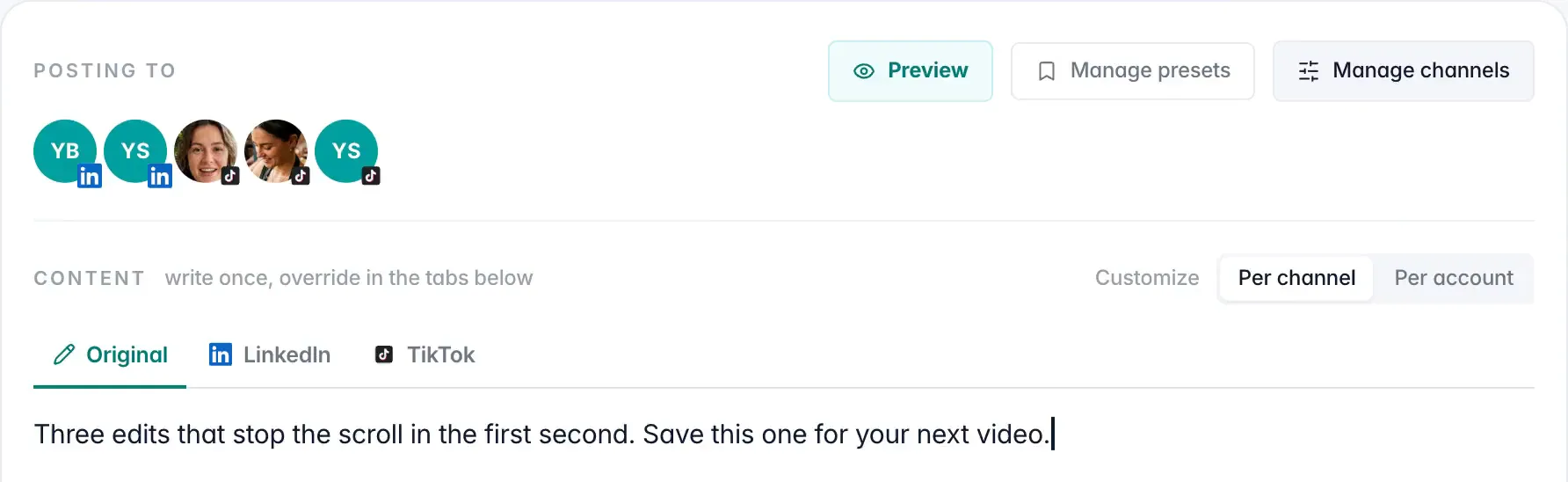
- Sign up for JuzPost free and connect your TikTok account.
- Click Create post and add your 1080 x 1920 video, or up to 35 photos for a photo post.
- Write the caption once. The TikTok tab lets you change it for TikTok only.
- The composer checks format, file size, photo dimensions, photo count, caption length and your account’s maximum video length, and tells you what to fix.
- Pick a time and click Schedule.
2. Dimensions and aspect ratio
1080 x 1920 pixels, 9:16. Anything else posts, with bars.
TikTok is a full-screen vertical feed, so 9:16 is the only shape that fills it. A 1:1 or 16:9 video still publishes: TikTok letterboxes it, and nothing refuses it for the shape.
The API does enforce pixel bounds. The media transfer guide sets a minimum of 360 px and a maximum of 4,096 px on both height and width. A 4K vertical export at 2160 x 3840 is inside that. An 8K export is not, and the API refuses it.
Exporting above 1080 x 1920 buys you little. TikTok re-encodes every upload, and the extra pixels mostly cost upload time.
3. File size: app, web and API
4 GB through the API. The phone apps cap far lower, and TikTok does not publish those numbers.
The 72 MB (Android) and 287.6 MB (iOS) figures quoted on most guides come from third-party testing, not from a TikTok page. I could not find TikTok stating either, or a web uploader cap, so treat them as rough. The one documented number is the API’s 4 GB.
How a tool sends the file changes which rules apply. The API offers two routes:
- FILE_UPLOAD. The tool pushes the bytes in chunks of 5 MB to 64 MB each (the last chunk may run to 128 MB), between 1 and 1,000 chunks, in order. A file under 5 MB goes in one piece.
- PULL_FROM_URL. The tool hands TikTok a link and TikTok downloads the file itself. The domain has to be verified with TikTok first, or the post fails with
url_ownership_unverified.
JuzPost uses PULL_FROM_URL for both video and photo posts, so the chunk rules never come into play for us. Our own ceiling is lower than TikTok’s: the composer takes videos up to 1 GB. That is a limit we chose for every platform, not one TikTok sets.
4. Length limits
The app takes 60 minutes. The API takes whatever TikTok allows that one account, which is 3 minutes for everyone and 5 or 10 for some.
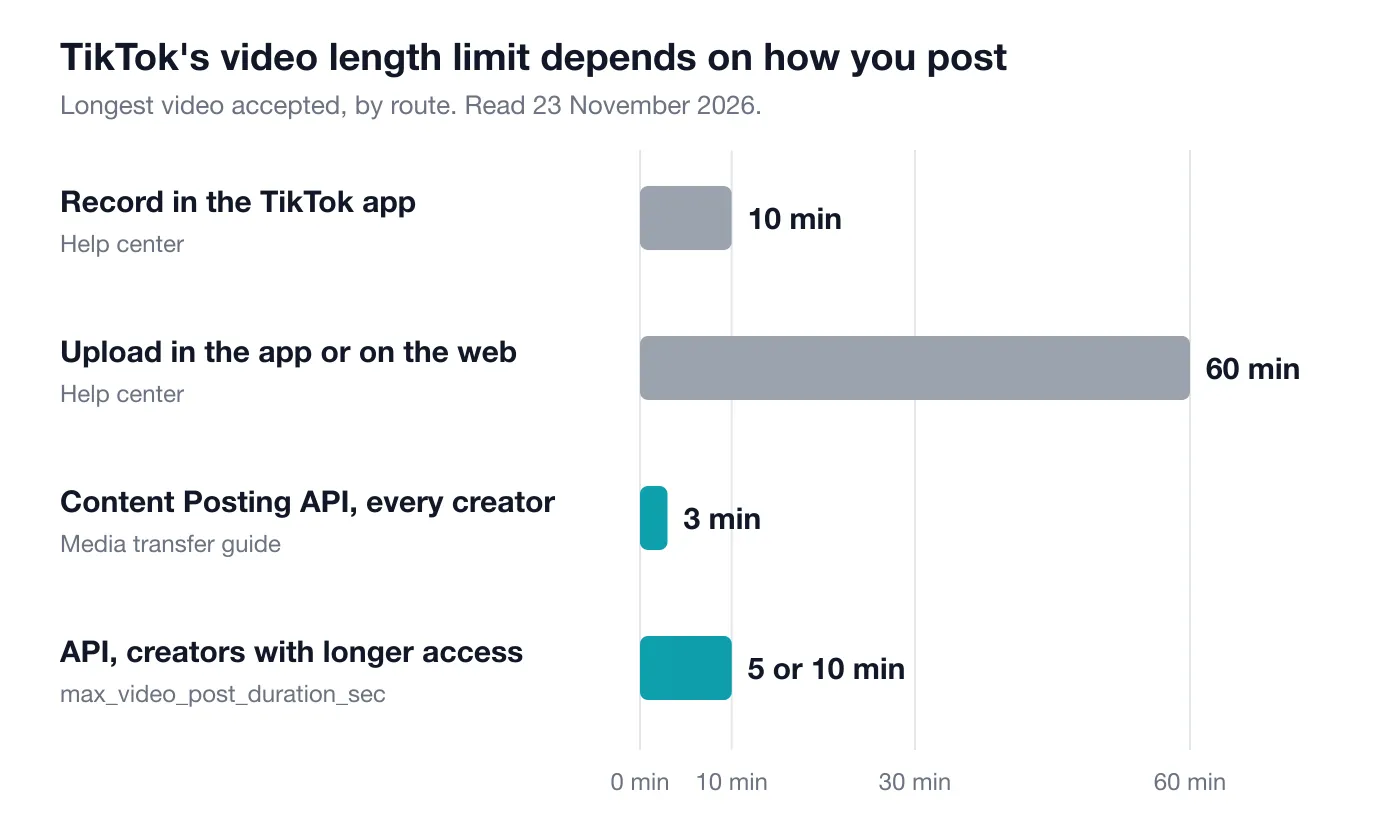
TikTok’s help center says you can record up to 10 minutes in the app and upload up to 60. The media transfer guide for the API says something narrower: all creators can post 3 minute videos, and some have access to 5 or 10 minutes.
The real number is per account. Before posting, a tool calls creator_info/query/, and the answer includes max_video_post_duration_sec. TikTok’s own reference uses 300 seconds as its example value and tells developers to block longer videos rather than send them.
JuzPost reads that field when you connect a TikTok account (and again on Refresh details), and the composer stops a Direct Post that runs over it before it is scheduled. A video that slips past still fails at TikTok with duration_check_failed. One detail I only know from our webhook logs: on 2 November 2026 TikTok sent that reason as duration_check, without the _failed suffix its documentation lists. If you match error strings, match both.
At the short end, 3 seconds is the floor quoted everywhere, and JuzPost enforces it. I did not find it printed in the API reference.
5. Formats, codecs and frame rate
MP4 with H.264 and AAC audio is the safe export. MOV and WebM also post.
The media transfer guide lists MP4 (recommended), WebM and MOV, with H.264 recommended and H.265, VP8 and VP9 accepted. Frame rate must sit between 23 and 60 fps.
M4V is not on TikTok’s list. We tested it on 18 November 2026: a 6 second H.264/AAC .m4v published to a TikTok Business account without complaint, so JuzPost accepts it. We have not measured a personal account.
AVI, MKV, WMV and FLV fail. So does a Matroska file renamed to .mp4, because TikTok reads the container inside the file and ignores the name. A 120 fps slow-motion clip straight off a phone sits outside the 23 to 60 range, so export it at 60 or below first.
6. Photo posts and carousels
Up to 35 photos, JPEG or WebP, 20 MB each, no wider than 1080 pixels on the short side. No PNG through the API.
The PNG rule causes more failed scheduled posts than any other photo limit. The TikTok app lets you pick a PNG, so most guides list it as supported. The posting API takes JPEG and WebP only, so a screenshot or a Canva export saved as PNG fails in every scheduler.
TikTok’s docs say “1080p” for photos without saying which side. The measured answer is the short side. Postiz, another scheduler, logged a 1080 x 1440 photo publishing and a 2172 x 2896 one failing with picture_size_check_failed in October 2026. JuzPost limits the short side to 1080 px and offers a resize button when a photo is over.
On 35: TikTok’s photo reference allows up to 35 image URLs per post, and we published 35 photos at 1080 x 1350 to a Business account on 18 November 2026 to confirm it. A post is photos or one video, never both. The photos do not need to share an aspect ratio.
Resize photos for TikTok7. Cover image
Through the API, a video cover is a frame you pick by timestamp. A photo post’s cover is one of its photos.
The direct post endpoint takes video_cover_timestamp_ms, the millisecond of the video to use as the cover. It accepts a timestamp and no separate image upload. For a carousel, photo_cover_index picks which photo leads, counting from zero.
In JuzPost you choose the video frame in the composer, and a carousel’s cover is the photo you put first. If you want a designed cover with a title on it, build that frame into the video itself at 1080 x 1920 and point the cover at it.
8. Caption length
4,000 characters in the app. 2,200 through the API, counted in UTF-16 units.
TikTok raised the in-app caption limit to 4,000 in 2023. The API kept 2,200 for video captions, and it counts UTF-16 code units, so most emoji cost two. A caption that reads as 2,190 characters can go over once a few emoji are in it.
Photo posts split the text in two: a title of up to 90 units and a description of up to 4,000. JuzPost enforces the 90 on the title and still holds photo descriptions to 2,200, the same number as video. That is stricter than TikTok needs, and we chose one caption limit for both formats.
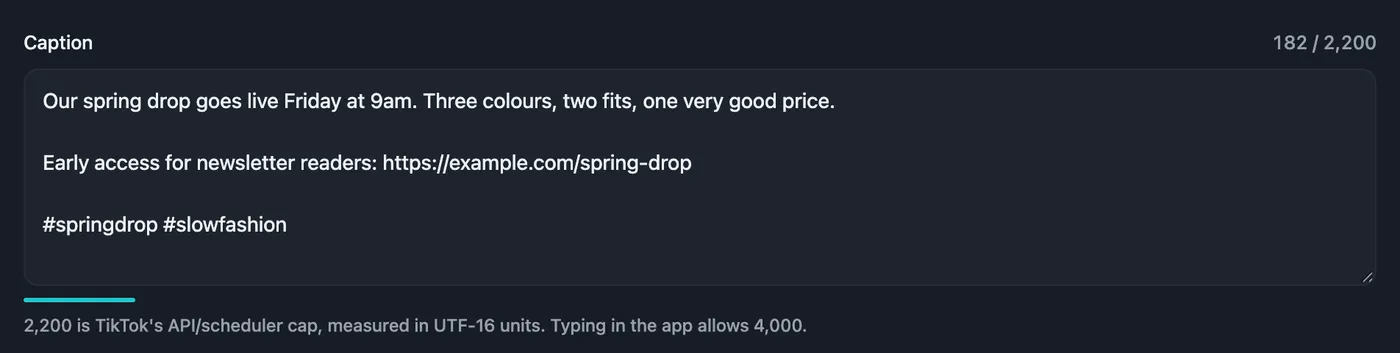
The TikTok character counter counts the way the API does, so the number it shows is the number TikTok checks.
9. Safe zones
Keep text and faces out of the top strip, the right-hand button column and the bottom quarter of the frame.
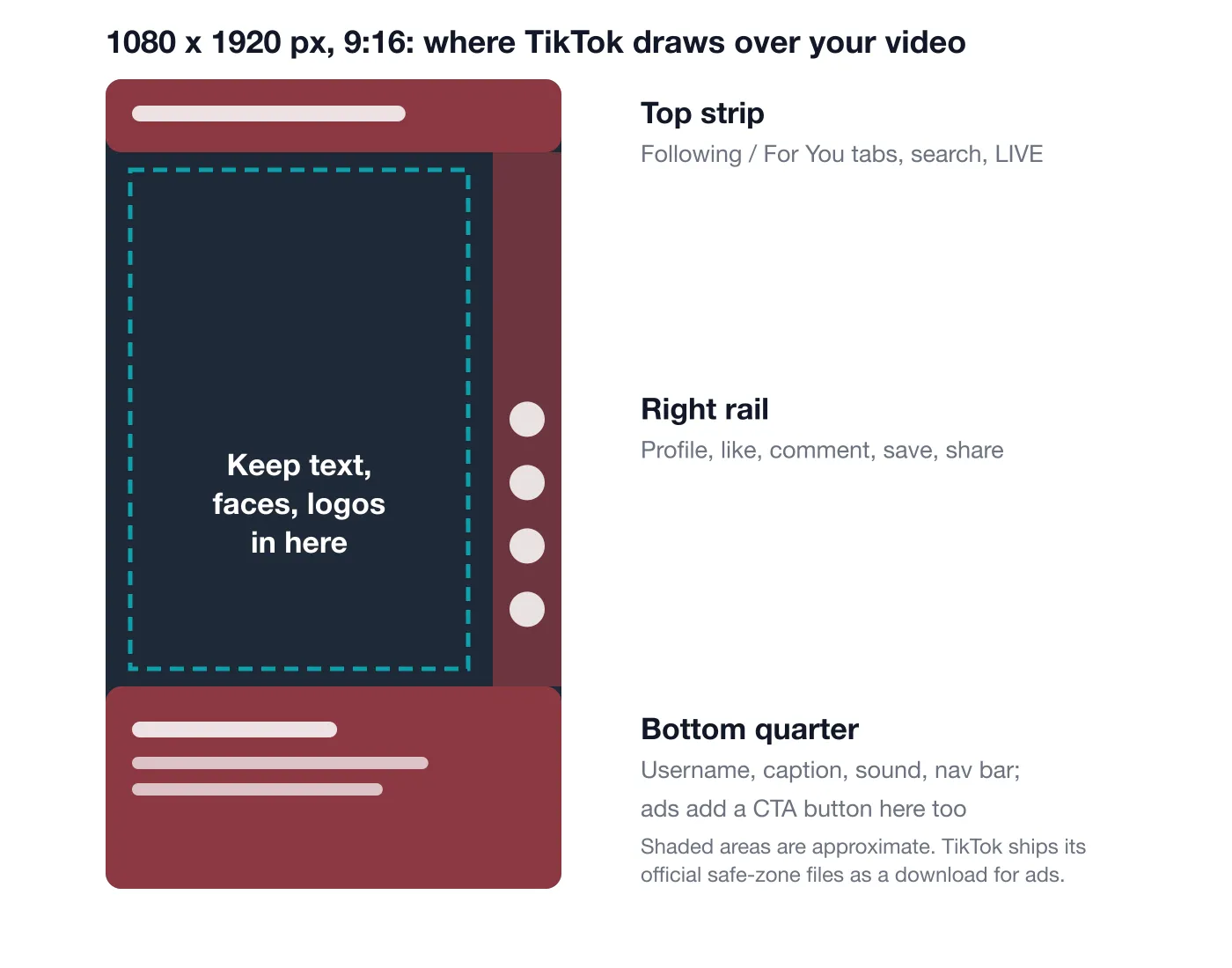
The feed draws over your video in three places: the Following and For You tabs at the top, the profile, like, comment, save and share buttons down the right, and the username, caption and sound line along the bottom. Ads add a call-to-action button to that bottom area.
TikTok does not print safe-zone pixel numbers on a page. Its ads help center offers the official templates as a downloadable zip, and the third-party templates built from it disagree by a couple of hundred pixels at the bottom. Use the shape in the diagram as a rule of thumb, and check one frame on a real phone before you post anything with text near an edge.
10. The errors TikTok’s API sends back
TikTok reports a failed publish with a short code, and the code usually names the limit you broke.
These are the codes JuzPost matches when a TikTok post fails, and what each one means in practice:
| Code | What broke | Fix |
|---|---|---|
duration_check_failed | Video longer than this account may post, or under 3 s | Trim to the account’s limit |
file_format_check_failed | Container or codec TikTok will not take | Export MP4 with H.264 |
frame_rate_check_failed | Under 23 or over 60 fps | Export at 30 or 60 fps |
picture_size_check_failed | Video side under 360 or over 4,096 px, or photo over 1080 px on the short side | Resize |
video_pull_failed / photo_pull_failed | TikTok could not download the file from the tool’s link | Retry |
spam_risk_too_many_posts | Daily posting cap for this account reached | Post tomorrow |
The daily cap catches teams that batch a week of content into one day. TikTok’s content sharing guidelines put it at around 15 Direct Posts per creator account per day, shared across every app posting for that account, and it varies by creator. One more limit sits outside the files entirely: an API app TikTok has not yet audited can only post privately, whatever audience you choose.
Questions people ask
What is the best TikTok video size?
1080 x 1920 pixels at a 9:16 aspect ratio, exported as MP4 with H.264 at 30 or 60 fps. That fills the vertical screen and passes every check the posting API runs.
What is the maximum TikTok file size?
4 GB through TikTok's Content Posting API, which scheduling tools use. TikTok does not publish the phone app caps; third-party testing puts them around 72 MB on Android and 288 MB on iOS.
How long can a TikTok video be?
Up to 60 minutes uploaded in the app or on the web, and 10 minutes recorded in the app. Through the API every creator can post 3 minutes and some accounts get 5 or 10, and TikTok reports the exact number per account.
Why does my TikTok post fail in a scheduler but work in the app?
The API is stricter than the app. The usual causes are a PNG photo, a video longer than the account's API duration limit, a caption over 2,200 UTF-16 units, or a frame rate above 60 fps.
Can I post a horizontal video on TikTok?
Yes. TikTok accepts 16:9 and 1:1 and adds bars around them in the vertical feed. Nothing rejects a video for its aspect ratio, as long as each side is between 360 and 4,096 pixels.
How many photos can a TikTok carousel have?
Up to 35, in JPEG or WebP through the API, each up to 20 MB and 1080 pixels on the short side. A post holds photos or one video, never both.
Next
If a TikTok post just failed, run the file through the TikTok media checker first. It reads the real container from the file’s bytes, which settles most “format not supported” mysteries in one step.
If you schedule to TikTok alongside other platforms, the limits above are one column of a wider table: what changes when one draft goes to five platforms covers the rest. JuzPost checks format, file size, photo dimensions, photo count, caption length and the per-account length limit in the composer, before anything is queued. It does not read frame rate or video pixel size yet, so those two still surface as TikTok errors. The TikTok page lists what the integration supports.
Schedule TikTok videos freeKeep reading
View all guides Guides / Platform limits
Best Time to Post on Instagram in 2026: 5 Studies Compared
 Guides / Platform limits
Bluesky Image Size Limits in 2026: Posts, Profile and Banner
 Guides / Platform limits