
Bluesky Image Size Limits in 2026: Posts, Profile and Banner
Bluesky caps post images at 2 MB and takes four per post. The verified numbers for posts, profile and banner, checked against the lexicon and the client.
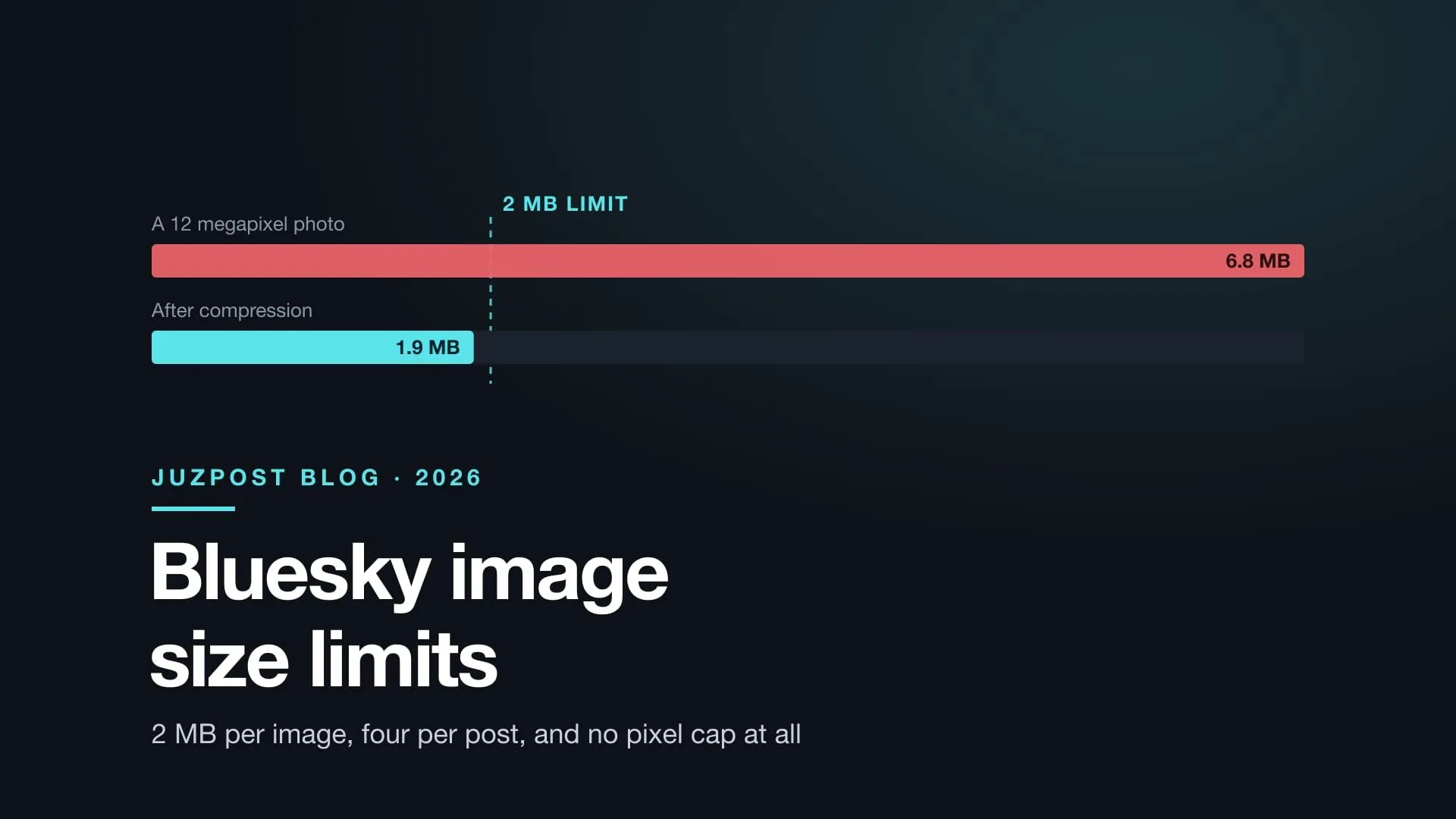
Bluesky caps a post image at 2 MB and takes four per post. There is no pixel limit at all.
| Content type | Max file size | Pixel size | Aspect ratio |
|---|---|---|---|
| Post image | 2 MB | Any. The app targets 4000px | Any. The feed keeps yours |
| Profile picture | 1 MB | 2000px | Cropped to a circle |
| Banner | 1 MB | 2000px | Cropped to a wide strip |
| Alt text | 2,000 characters |
Over the limit? Drop the photo in and get it under 2 MB without picking a quality number.
Compress an image for BlueskyThe limit doubled from 1 MB to 2 MB in April 2026. Pages still publishing 1 MB, 976 KB or a 1000px maximum predate that change, whatever date they carry. Every number here comes from the AT Protocol lexicons and the official client source, read on 27 August 2026.
1. Post images
2,000,000 bytes per image. Four images per post.
Both numbers live in app.bsky.embed.images, the schema every Bluesky client and server validates against.
The cap is per image, not per post. Four photos at 1.9 MB each is a valid post at 7.6 MB total, because nothing measures the total.
The April 2026 release also changed how multiple images draw. The old grid cropped every thumbnail to a shared shape. The current build shows a swipeable carousel that keeps each image at the ratio you uploaded, so a portrait and a landscape in one post no longer get squared off to match.
2. Why an upload can succeed and the post still fail
Uploading the file and attaching it to a post are two separate calls. The 2 MB check happens on the second one.
com.atproto.repo.uploadBlobtakes the bytes. The ceiling here belongs to the server, not to images, and it sits far above 2 MB.- You get a blob reference back. The upload worked.
- You create the post record with that blob attached.
- Step 3 validates against
app.bsky.embed.images, and refuses a 2.4 MB image.
The uploadBlob lexicon says so outright: restrictions such as mimetype and size are enforced when the reference is created.
One more consequence. An unreferenced blob is garbage collected within minutes, so a slow or retried post creation can find the blob already gone.
I could not find a documented error name for the oversized case and will not invent one. Test error handling against a real server rather than matching a string from a blog post.
3. There is no pixel limit
The API enforces no dimension. No width field, no height field, no megapixel ceiling. Bytes are the only thing measured.
The 4000px figure that circulates as a limit is the client’s resize target, paired with the same 2 MB ceiling. Matching it is sensible, since it is what Bluesky’s own users produce. Breaking it is not possible, because it is not a rule.
- A 6000px image under 2 MB posts fine.
- A 1200px image over 2 MB does not.
aspectRatio is a hint, not a rule
The aspectRatio field is optional, and the lexicon is blunt about it: the value may be approximate and may not correspond to absolute dimensions in any given unit. It sizes the embed box before the image loads so the layout does not jump.
Omit it and nothing rejects the post. Set it wrong and you get a misshapen box for a moment, then the right image inside it.
4. What Bluesky does before it uploads
It compresses only when it has to, and converts to JPEG when it does.
The client returns your file untouched if it is already under the ceiling. Only a file at or over the limit goes through the resize path, and that path writes JPEG.
Two results, neither documented anywhere I can find:
- Under 2 MB, a PNG stays a PNG. Transparency intact. A 400 KB transparent logo arrives as you made it.
- Over 2 MB, a PNG becomes a JPEG. JPEG has no alpha channel, so the transparency is gone. Get the file under 2 MB first and the client leaves it alone.
The resize is a binary search on encoder quality, narrowing until the output fits. When quality alone cannot get there it stops going lower, cuts the longest edge to 80%, and searches again. Below a certain quality a JPEG is not worth having, and losing pixels beats going past that.
5. Profile picture and banner
1 MB and 2000px, which is half the post allowance on both counts.
The app uses a stricter config for avatars and banners than for post images. That is a client decision rather than a lexicon rule, and it is the one that governs what happens when you change your picture.
The gap catches people out: a 1.6 MB photo posts without trouble and gets refused as a profile picture, and nothing in the refusal says the two paths have different budgets.
6. How to get an image under 2 MB
Resize first, then compress, and let the target size pick the quality.
- Longest edge to 4000px or less. Most of the bytes in a phone photo are resolution you cannot see in a feed. This step often does the whole job.
- Re-encode to JPEG, or WebP if you need transparency. Bluesky takes both.
- Check against 2 MB. If it misses, remove pixels rather than dropping quality further.
An animated GIF. Bluesky accepts GIFs, and any canvas based compressor, ours included, flattens one to a single frame. If it is over 2 MB, cut its length or frame rate in a tool built for that.
A photo that misses the target even after resizing. Crop it. Removing the detail that was costing the bytes beats compressing the whole frame harder.
Frequently asked questions
What is the maximum image size on Bluesky?
Did Bluesky's image size limit change in 2026?
Does Bluesky compress my images automatically?
What is the best image size for a Bluesky post?
Does Bluesky crop images in the feed?
Why was my profile picture rejected when the same photo posts fine?
Next
If you arrived from a failed upload, the fix is a smaller file. If you are drafting rather than debugging, the character counter covers the other limit that stops a Bluesky post, and what changes when one draft goes to five platforms covers the rest of them.
A scheduling tool earns its place by checking the limit while you compose rather than at the moment it publishes. A photo 400 KB over the line is a thirty second fix in the composer, and a failed post at 7 AM otherwise. That is the same argument as native scheduling versus a tool holding its own timer.
Try JuzPostRead next 3 posts


Comments are not configured in this environment.