How to Schedule Tweets for Free in 2026: 5 Ways That Still Work

The easiest way to schedule tweets in 2026 is JuzPost: connect your X account, write the post once, pick a time, and it goes out on the minute, next to your Instagram, LinkedIn, TikTok and other posts in one calendar. It costs $0. If you only need a single post on one account, X’s own composer on the web also schedules it for free.
1. 5 ways to schedule tweets for free, compared
| Option | Price | X accounts | Other networks | Threads | Best for |
|---|---|---|---|---|---|
| JuzPost | $0 | Several | 11 more, one calendar | Replies under a post | Posting to X and other networks from one place |
| x.com composer | $0 | 1 at a time | None | Not documented | One post on one account |
| Buffer Free | $0 | Up to 3 channels | Yes, within 3 channels | 1 on Free | A small queue |
| Typefully Free | $0 | 1 social set | Few | Yes | Writing threads |
| Zoho Social Free | $0 | 1 X profile | 1 brand | Not published | One brand |
TweetDeck is not on the list: it became X Pro and now needs X Premium+ at $40 a month. Publer Free and Metricool Free, which many older “free tweet scheduler” lists still name, no longer include X.
2. How to schedule tweets with JuzPost
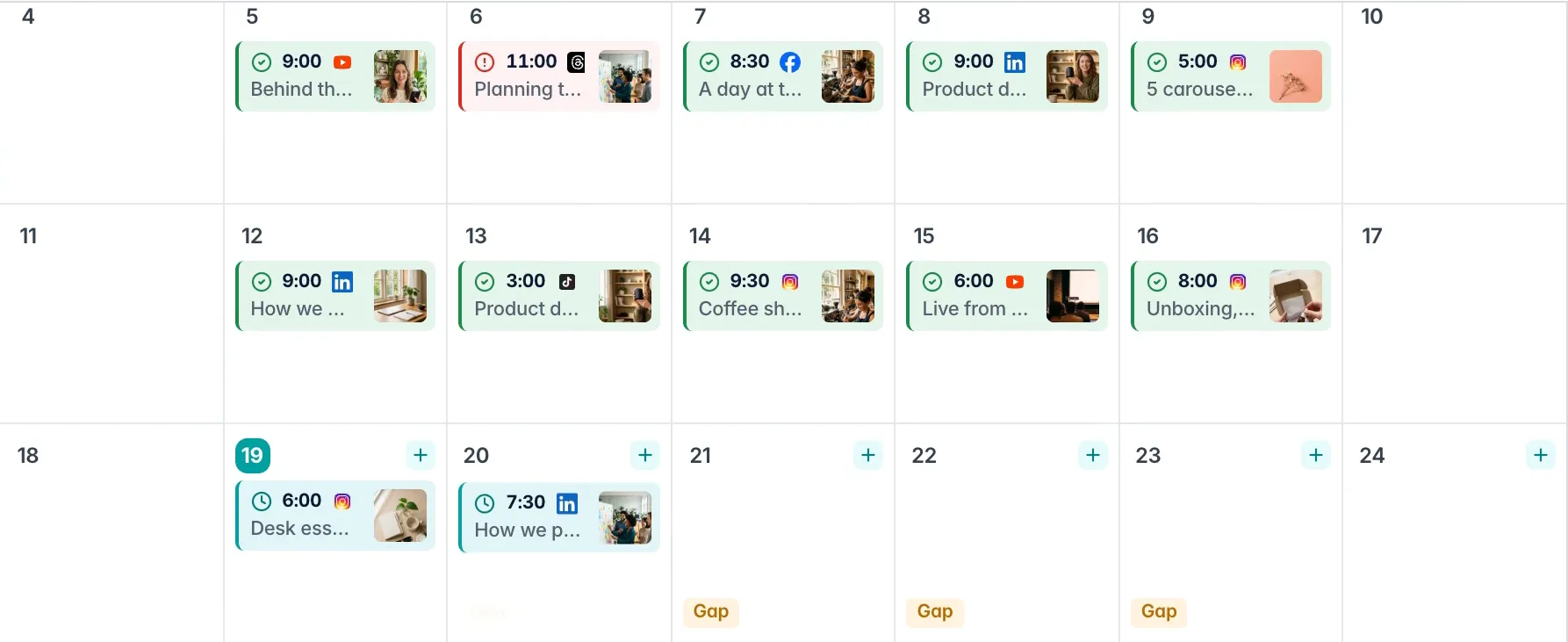
JuzPost schedules X posts from the same composer and calendar as every other network you run.
-
Sign up and connect X
Sign up free and connect your X account. Sign-in happens on X; JuzPost never sees your password.
-
Write the post
Click Create post, write the tweet, and add up to 4 photos, a GIF or a video.
-
Pick your accounts
Pick X, plus any other accounts that should get the same post. Each network gets its own tab if you want a different caption there.
-
Choose a time
Choose a date and time, or let JuzPost spread a batch across the best times for your time zone.
-
Schedule
Click Schedule. The post shows up in the calendar, and JuzPost publishes it at that minute.
What JuzPost checks before the post is queued, so it does not fail at the minute it fires:
- Length the way X counts it. Links count as 23, emoji and Chinese, Japanese or Korean characters as 2. The composer shows the real count, not the letter count.
- Media X will accept. 5 MB per photo, 4 photos or 1 GIF or 1 video per post, no HEVC video, and a 1920 px long edge, which we measured against X on 18 November 2026.
- Links. X wraps even a bare domain like example.com in a t.co link, so JuzPost counts it as one.
3. How to schedule a tweet on x.com
X documents scheduling on desktop web, from the normal compose box.
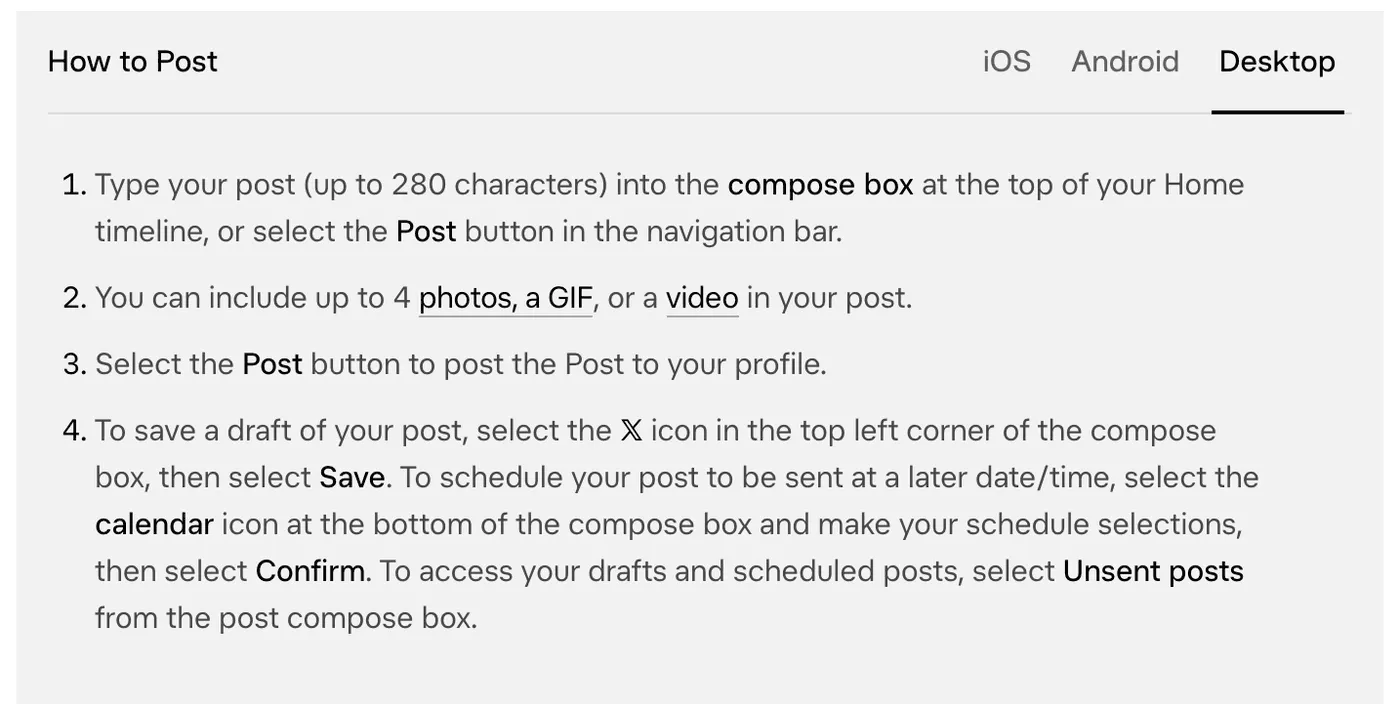
- Open x.com in a browser and click Post, or use the compose box at the top of Home.
- Write the post. Standard accounts get 280 characters.
- Click the calendar icon at the bottom of the compose box.
- Pick a date and time, select Confirm, then send it from the compose box.
- To edit or delete it later, open the compose box and select Unsent posts.
X’s help page, last updated 12 October 2026, attaches no Premium requirement to the calendar icon. Some third-party guides say the button disappeared for free accounts in mid-2026. I cannot confirm that from a logged-out page. If you do not see the icon, JuzPost or one of the free plans below does the same job.
What the native scheduler leaves out:
- Mobile. X’s help page gives no scheduling steps for the iOS or Android app. Reports from September 2026 describe a rollout on iOS. X has not documented it.
- Threads. The help page does not say whether a scheduled post can be a thread.
- More than one account. Each scheduled post belongs to the account you are logged into.
The ads.x.com route
X’s other documented scheduler lives in the ads dashboard. Log in at ads.x.com, open Composer, write the post, open the arrow next to Post, pick a time and click Schedule. Find it again under Posts, switching the “Posts: Promoted” filter to “Scheduled”.
X’s help article describes this as scheduling “Promoted-only Posts”, while its video covers organic posts too. Send yourself a test before you trust it with something that matters.
4. Other free schedulers that include X
Buffer, Typefully and Zoho Social keep X on their free plans, each with a tight cap.
- Buffer Free connects 3 channels with 10 scheduled posts each. Basic X analytics are not included on free profiles.
- Typefully Free includes X with 10 posts a month and 1 social set, built around writing threads.
- Zoho Social Free gives you 1 brand, with one X profile among its channel slots.
All three stop at a single brand or a few channels. Once X is one network among several, a calendar that holds all of them, like JuzPost’s, saves the most time.
5. Why most free plans dropped X
X charges the scheduler for every post you send through it, and a post with a link costs 13 times as much as one without.
Every scheduler, JuzPost included, works the same way underneath. X’s API has no field for a publish time, so the tool stores your post and calls X’s create-post endpoint at the minute you picked. Since X moved its API to pay-per-use, each of those calls has a price.
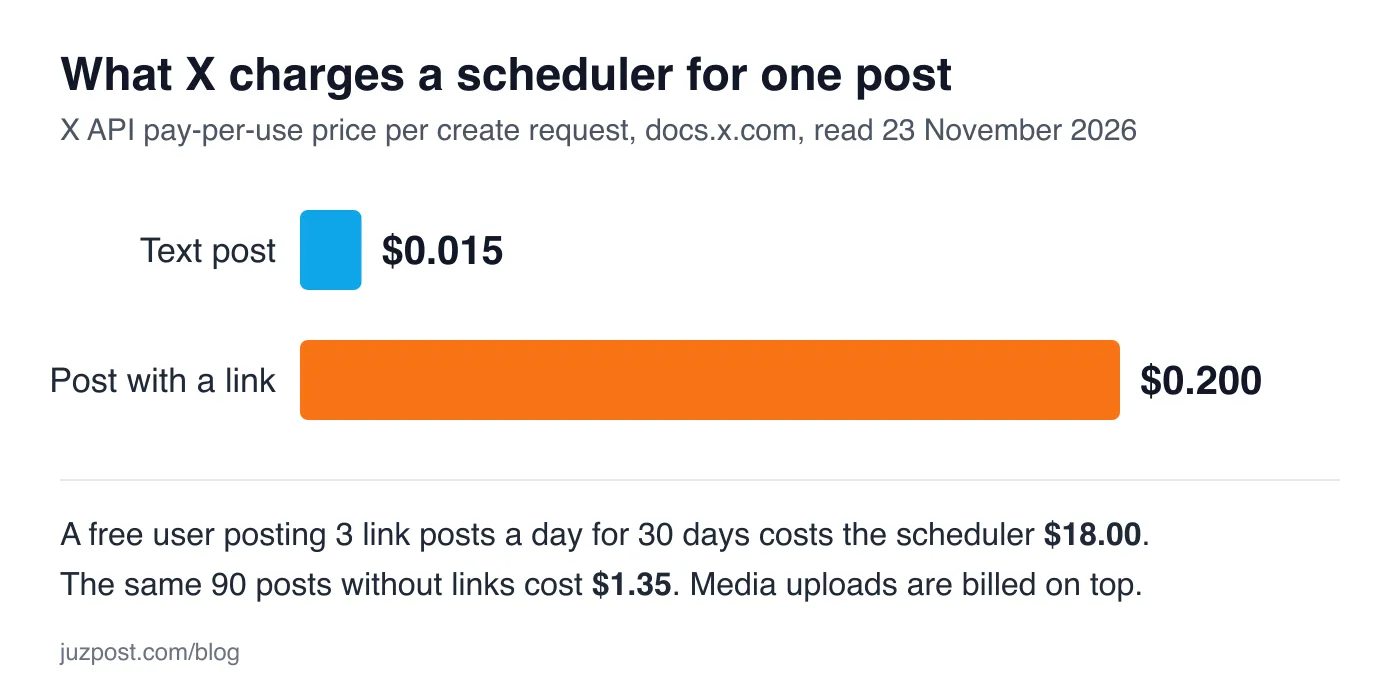
X’s pricing page, read on 23 November 2026, lists $0.015 for “Post: Create” and $0.200 for “Post: Create (with URL)”. Instagram, Threads, Bluesky and LinkedIn charge nothing per post, which is why most free plans carry them and not X.
Here is what that looks like from inside JuzPost’s X integration:
- Uploads are billed too. X takes video in chunks, and each chunk is a billed request. We hold X video at 100 MB, not the 512 MB X allows, so a long upload is about 25 requests instead of 125.
- A refused upload is still billed. So the JuzPost composer stops HEVC video, files over 5 MB per image, and video wider than 1920 px on the long edge before anything goes to X. We measured that 1920 px edge on 18 November 2026: landscape and portrait both went through.
- A bare domain counts as a link. On 18 November 2026, X refused 260 letters plus ” example.com” as over 280 characters. By its letters the post was 272. X had wrapped the domain in a t.co link and counted it as 23, so JuzPost counts a bare domain as a link too.
This is also why JuzPost checks every X post before it is queued: a post X refuses at the minute it fires is a post nobody sees.
6. Check the post before you schedule it
A scheduled tweet fails at the minute it fires, usually when nobody is watching. Two limits decide whether it goes out: length and media.
Length. X counts weighted characters, not letters. Every link costs 23 whatever its real length, an emoji costs 2, and a Chinese, Japanese or Korean character costs 2. A post that looks like 270 characters can be 300 to X.
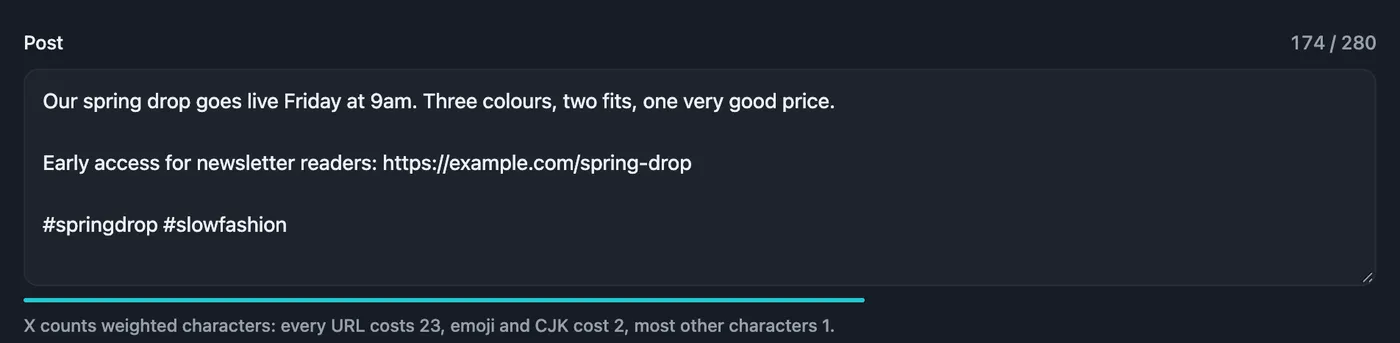
The free X character counter uses the same counting code as the JuzPost composer, which we checked against X’s own refusals.
Media. Through the API, X takes 4 photos, 1 GIF or 1 video per post, not a mix, even though X’s iOS app lets you combine up to 4 items. Photos max out at 5 MB and GIFs at 15 MB. For images that land in the timeline uncropped, the X photo resizer exports 1600 x 900 or 1200 x 675 for landscape and 1080 x 1350 for portrait.
Questions people ask
How do I schedule tweets for free?
Sign up for JuzPost free, connect X, write the post, pick a time and click Schedule. For a single post on one account, the calendar icon in the x.com compose box also schedules it at no cost.
Can you schedule tweets on Twitter?
Yes. On x.com, write the post, click the calendar icon at the bottom of the compose box, pick a time and select Confirm. Scheduled posts sit under Unsent posts. X documents this for desktop web only.
What is the best free tweet scheduler?
JuzPost, if you post to X and other networks: one calendar, X-accurate character counting and media checks before anything is queued, at $0. Buffer Free and Typefully Free work for a small X-only queue.
Is TweetDeck still free?
No. TweetDeck became X Pro, which moved behind X Premium in 2023 and to the Premium+ tier only on 26 March 2026, from $40 a month.
Can I schedule a thread on X?
Yes. JuzPost schedules replies under a post, and Typefully's free plan schedules threads within its 10 posts a month. X's help page does not say whether the x.com scheduler supports threads.
Can I schedule tweets with images or video?
Yes. X takes 4 photos, 1 GIF or 1 video per post through its API. JuzPost checks the size and format before the post is queued, so it does not fail at publish time.
Next
Want X and your other networks in one calendar? Sign up for JuzPost free and schedule your first tweet in a couple of minutes. To check a post first, use the free X character counter.
Start scheduling tweets free